Hello and welcome to this quarter's newsletter. A lot of pharmacies already have these tools and underuse them. Let's dive in.
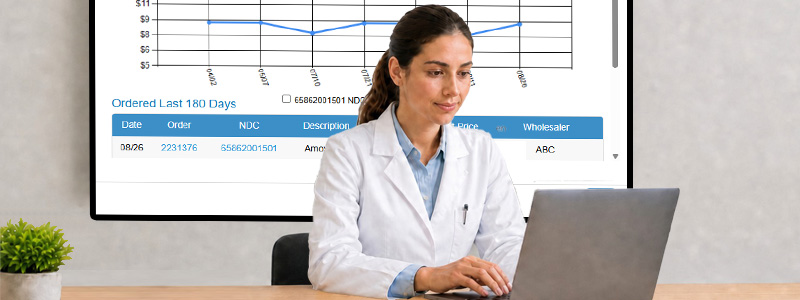
The featured article walks through Historical Drug Prices on the Drug Details popup. If your pharmacy has bought the NDC before, you get a trend chart from your own orders plus a 180-day table. That is the fastest way to tell whether today's "deal" is actually a deal, or whether you should try another wholesaler, another package size, or wait.
Tech Tips this quarter is all about the Windows key: clipboard history with Win+V, Task View and virtual desktops with Win+Tab, and Win+Pause when someone on the phone asks about the PC you have.
We close with a short Did You Know on ancient Egyptian pharmacies, then the usual ask: tell us what you tried, what you want next, and whether you would give PharmSaver a reference. Scroll on, and thanks for reading.
Featured Article
Historical Drug Prices
 Click an NDC or the history icon to open price trends based on your own purchases.
Is that "deal" actually a deal? The fastest way to find out is the price history already sitting behind every NDC in PharmSaver.
On the Order page, Order History, or QuickCart, click the NDC or the small history icon. The Drug Details popup opens on the Order History tab. When your pharmacy has purchased the item, you will see a price-trend chart built from your own buying history, plus a table of what you ordered in the last 180 days.
If today's offer is sitting at the bottom of the line, buy. If it is sitting at the top, you may want a different wholesaler, a different package size, or to wait. Package-size buttons appear above the chart when the same product is available in more than one size, so you can compare without leaving the popup.
Price trends are based on your pharmacy's own purchase history.
Need today's market instead of yesterday's orders? Use View Current Prices to jump to the Order page for that NDC. The Description tab has item and packaging info. The Reimbursement tab shows State-MAC, Commercial MAC, PDP-MAC, NADAC, and FUL when they are available.
Check history before you add to cart, especially on items you buy every week. Two clicks can keep a sale from becoming an overpay.
Tech Tips for Pharmacies
The Mysterious Windows Key
 Build the list once in QuickCart, then Load to Cart when it is time to order.
Win + V: If you copy and paste a lot, this one is a game changer. Windows can actually
remember the things you've copied, so you don't have to keep bouncing back and forth between windows
trying to find that one piece of text you copied five minutes ago. Press Win + V, that's
the Windows key just to the left of your spacebar, plus the letter V. The first time you use it, Windows
may ask you to turn Clipboard History on. Do it. From then on, Windows keeps a history of your recent Ctrl+C
copies, including images. When you need something you've copied earlier, just press Win + V,
pick it from the list, and it's back in your clipboard. It's one of those features you wonder how you lived without.
Win + Tab: When the screen is crowded with open programs, this shortcut is worth knowing. Press Windows + Tab
and Windows opens Task View, giving you a visual look at everything you currently have open.
From there, you can quickly click the window you want instead of hunting
through a pile of overlapping programs. Even better, Task View also lets you create and switch between virtual desktops.
You could have one desktop for work, another for personal stuff, and another for whatever
collection of browser tabs seemed like a good idea at the time. It can be explained as a futuristic upgrade from Alt-Tab years ago.
Win + Pause: Ever been asked, "What kind of processor do you have?" or "How much RAM is in that
computer?" and answered with the classic, "I have no idea"? Windows has a shortcut for that. Press Win + Pause
and Windows opens the system information screen, where you can see important details about your PC, including the
processor and installed memory. It's a quick way to find out what's actually under the hood without digging through
menus or pretending you know.
Did You Know?
Ancient Egyptian Pharmacies Existed
 Show Best Deals fills a shipping-minimum gap with items that actually save money.
Thousands of years ago, civilizations had people who specialized
in preparing and selling medicines. They worked with plants, herbs, oils, minerals, honey, spices, and other ingredients
to create remedies for everything from pain and infections to digestive problems.
If you could somehow walk into a pharmacy in ancient Egypt, you might find yourself standing in front of the same
kind of medical world that served one of history's most famous rulers: King Tutankhamun. Thousands of years ago,
Egyptian healers were already preparing medicines from carefully measured combinations of herbs, oils, honey,
minerals, and other ingredients.
Ancient Egyptian medical writings contain recipes for medicines that were carefully measured and prepared
using specific ingredients and instructions.
Feedback
Did you try one of our new enhancements or tech tips? Let us know what you think. Have ideas about what you'd like to see in PharmSaver? Let us know. We're here to make your experience on PharmSaver.net as enjoyable, efficient and rewarding as possible. We have some new features in the works because of feedback we received from people just like you. If you enjoy using PharmSaver.net, please consider giving us a reference. You can email us at info@pharmsaver.net with "Testimonial" in the subject or you can reach us at the "Contact Us" link at the bottom of this page and we'll get back to you pronto. Thanks!
PharmSaver — helping pharmacies make smarter purchasing decisions,
one order at a time.
|